01
Two systems, different responsibilities
An RV DMS typically holds unit inventory, deals, parts, service and accounting records that a CRM should not replace. Shiftix Cloud focuses on customer operations: organizing inquiries, customer conversations, appointments, ownership, and follow-up. The aim of a connection is to give authorized employees relevant context in the workflow where they engage customers, not to move every back-office function into the CRM or imply that every record is synchronized.
This distinction matters to a dealer selling towables and motorhomes with a busy service department. A salesperson might need customer and floorplan context before calling back, while a service advisor needs clarity about a pre-trip request. Neither use case proves that an accounting record, repair order, inventory feed, or contract is available for a particular DMS. Start by defining the decision the team needs to make, then identify only the fields required to support it.
02
Compatibility is a project-specific question
The dealer management systems Shiftix Cloud supports are listed on the Integrations page. Scope, data direction, and permissions are confirmed during implementation. Ask Shiftix which connection methods are currently available for your exact DMS product and version, and whether the provider allows the required access for your dealership.
Depending on the source and the approved scope, data might arrive through an API, authorized feed, or structured import. Those are possible methods, not a promise of a native connector or continuous synchronization. A one-time import has different maintenance and freshness implications from a scheduled feed. An API may require credentials, provider approval, and additional setup. Confirm each method's direction, timing, and limitations before planning a rollout.
03
Define the data and the direction
Write down the fields your team needs and where each field originates. Examples to evaluate include customer identity, contact details, unit and floorplan interest, available inventory, trade details, ownership history, and service context. These examples are a scoping checklist, not a claim that Shiftix imports every field or writes any of it back to a DMS. Ask whether data flows into Shiftix, out of Shiftix, or both, and whether changes are batched, manually initiated, or available on a supported schedule.
Also agree on how records will be matched. Duplicate names and shared phone numbers are common enough that an unreviewed match can give a rep the wrong history. The dealership should decide which source owns each field, who can correct errors, and what staff will see when a record is missing or stale.
04
Permissions and operations come before launch
Your dealership and provider need to authorize access to data. Confirm account permissions, allowed uses, security requirements, and any provider fees or contractual restrictions. Decide who monitors the connection, who investigates a failed import, and how staff know when a field cannot be trusted. A connection that fails quietly is less useful than a clear process that alerts the right person to an exception.
For a multi-location operation, confirm which records belong to which location and who may view them. Include a review of privacy, consent, and retention obligations for customer information. If permissions or provider documentation are unavailable, the right outcome is to pause the connection claim, not to guess that an integration will work.
05
Evaluate the customer workflow with real examples
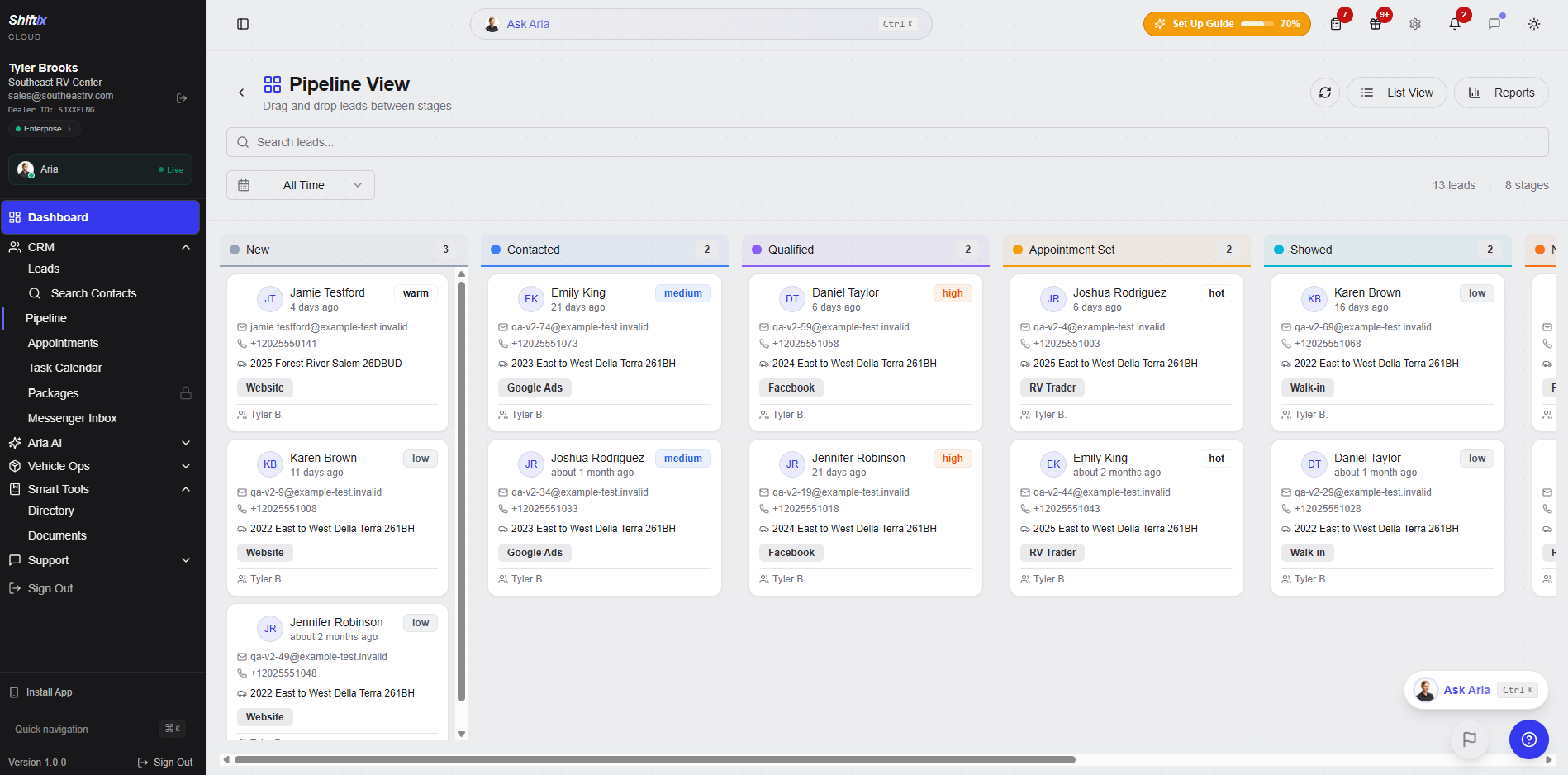
Bring a sample lead and the details your team actually uses to a walkthrough. Ask to see how a rep finds customer context, assigns a next step, and hands off the conversation. Then discuss which information could come from your DMS and how its availability would be verified. The RV CRM guide covers the customer-facing work the connection is meant to support, and the RV dealer software overview compares the whole platform.
A spring travel trailer buyer
A hypothetical scenario to show the workflow. Names, units and steps are not customer data and do not describe a specific integration.
- 1
Off-season inquiry
A family asks about a bunkhouse travel trailer in January. Shiftix records the inquiry, owner and timing note.
- 2
Scheduled reconnect
The rep sets a February task to follow up before show season.
- 3
Context check
If inventory context was approved in scope, the rep confirms the floorplan is still available; otherwise they check the DMS directly.
- 4
Handoff
The deal, unit and financing are recorded in the DMS. Shiftix keeps the conversation and follow-up history.
Questions to confirm before a connection
Bring this list to a connection review with Shiftix and your DMS provider.
- Exact DMS provider, product name and version for each location.
- The specific fields your team needs, and which system owns each one.
- Data direction for each field: into Shiftix, out of Shiftix, or neither.
- Timing: one-time import, scheduled feed, or manually initiated, and how freshness is shown.
- Provider permissions, credentials, allowed uses and any provider fees or contract limits.
- Record-matching rules for duplicate names and shared phone numbers.
- Who monitors the connection and who is alerted when an import fails.
- Location visibility, privacy, consent and retention review.
Frequently asked questions
Does Shiftix Cloud replace my RV DMS?
No. Shiftix Cloud is not a dealer management system. It works alongside your DMS, which keeps running inventory, deals, accounting, and service. Shiftix handles leads, customer conversations, appointments, and follow-up.
Which DMS data does Shiftix Cloud use?
That depends on your DMS, the permissions your provider allows, and the scope agreed for your store. Shiftix works from the leads, conversations, appointments, and follow-up recorded in Shiftix, and we do not assume that records from your DMS are imported or written back. Ask our team to confirm which fields can be connected for your exact system before you plan around them.
Which dealer management systems does Shiftix Cloud connect to?
Supported systems are listed on the Integrations page. A listing is not a promise for your store, so confirm your exact DMS, version, and the data you need with our team first.
Can I use Shiftix Cloud without connecting my DMS?
Yes. Teams can use Shiftix Cloud for leads, conversations, and follow-up on its own, and connect DMS context later if it is available and approved for your dealership.